Showing posts with label jsp. Show all posts

Monday, 22 July 2013

Maven, Struts2 Annotations and Tiles Integration Example via Convention / Codebehind / Zero Config plugin using Eclipse IDE

In this example, I will demonstrate how you can use Struts2 Annotations and Conventions alone to avoid XML Configuration. I will also integrate Struts2 Tiles Plugin, because I’ve seen a number of people struggling when it comes to Tiles integration with Struts2 Annotation and Convention based projects. Do note that Struts2 Convention Plugin has replaced the older Codebehind plugin and Zero Config Plugin.

The Struts2 Convention Plugin provides the following features:

  • Action location by package naming conventions
  • Result (JSP, FreeMarker, etc) location by naming conventions
  • Class name to URL naming convention
  • Package name to namespace convention
  • SEO compliant URLs (i.e. my-action rather than MyAction)
  • Action name overrides using annotations
  • Interceptor overrides using annotations
  • Namespace overrides using annotations
  • XWork package overrides using annotations
  • Default action and result handling (i.e. /products will try com.example.actions.Products as well as com.example.actions.products.Index)

The Convention Plugin should require no configuration to use. Many of the conventions can be controlled using configuration properties and many of the classes can be extended or overridden.

Ok, let’s start then.

Open Eclipse IDE and create a new Maven project.

eclipse new other project

eclipse new maven project

eclipse new maven project - create a simple maven project (skip archetype selection)

eclipse new maven project - configure project

Note that I’ve selected the “war” Packaging above.

From the eclipse IDE’s Project Explorer, double click on “pom.xml” file. It is your project’s Maven POM file and it should look like:

This is the bare bone maven pom file. Now, add following three dependencies to it:

  1. Struts2 Core
  2. Struts2 Convention Plugin
  3. Struts2 Tiles Plugin

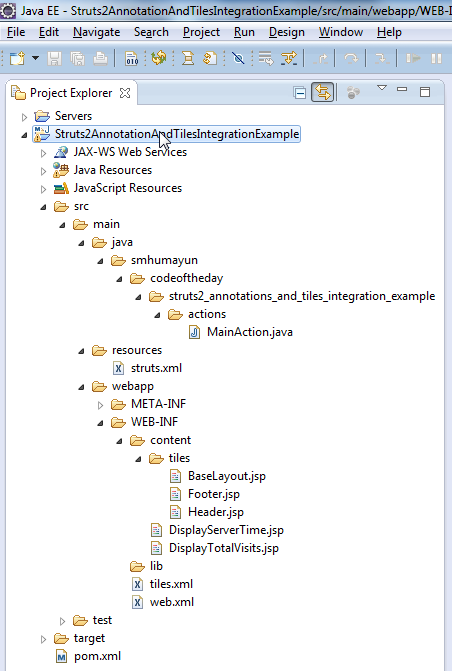
maven directory structure

Now,

Create a package structure as you like. However, make sure the immediate parent package that contains your Struts2 Actions should be named either of the following (refer to directory structure image above):

  • action
  • actions
  • struts
  • struts2

Why? because by “Convention”, Struts2 will “scan” for Action(s) in package(s) that “exactly” matches the names mentioned above. Yes, you can do all sorts of overriding and customizations, but you have to do that using XML Configuration (file called Struts.xml), which we want to avoid in our example. So, we will stick to the “Conventions” Smile

Create a new Action class. Make sure you follow these “Conventions”:

  • Your Action class must suffix with “Action”
    • For example: MyAction, ListOfAction, DownloadAction, etc..
  • OR, your class must implements “com.opensymphony.xwork2.Action” interface

(refer to directory structure image above) I prefer first one because in that case I’m less coupled with the Struts2 API. Lesser the “invasion” by a framework, the better!

Also, for the very same reason, and to demonstrate the plain POJO integration concept by Struts2, I avoid extending my Action class with any of the Struts2 support classes (i.e. com.opensymphony.xwork2.ActionSupport).

Two important things to notice in the class above are:

  • @Result (…, type=”tiles”) – This is to instruct Struts2 that the result is of “Tiles” type and to enable or configure that type you will have to create a minimal Struts XML Configuration file called struts.xml, because this particular configuration can not be done using Struts2 Annotations:
  • @Result (…, location=”your-tile-definition-name”) – The location refers to one of the tiles defined in your tiles definition file.

Create (if not already created) a web.xml, Java Web Application Deployment Descriptor, under /src/main/webapp/WEB-INF/ and add following to it:

  1. Struts2 Standard Filer Mapping
  2. Tiles Configuration
  3. Tiles Listener

Create your tiles definition file and define all tiles definition:

Create following JSP files:

BaseLayout.jsp:

Header.jsp:

Footer.jsp:

DisplayServerTime.jsp:

DisplayTotalVisits.jsp:

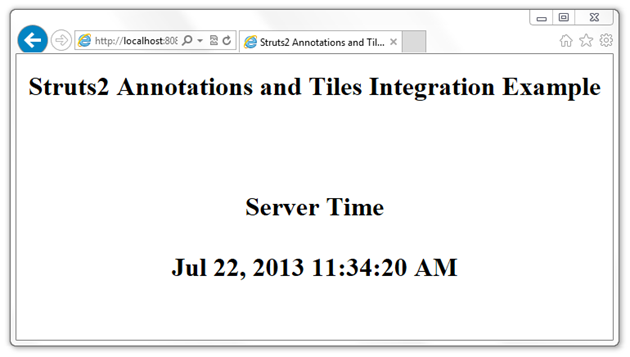
Finally, deploy the application on any Java Web Application Server, open your browser and go to URLs:
DOWNLOAD COMPLETE SOURCE CODE FROM HERE

Wednesday, 10 July 2013

Deploying Java Web Application on AppFog’s FREE Cloud Hosting Account in Seconds!

What is AppFog?

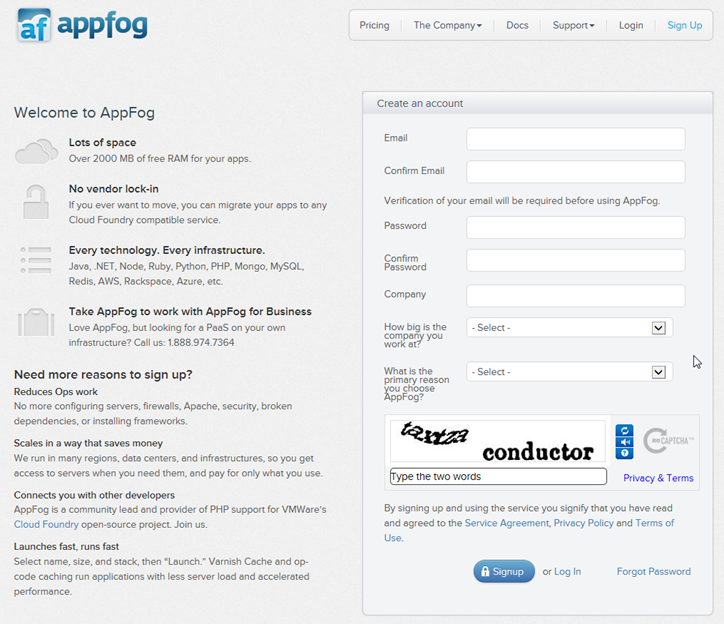
If you don’t have an account with AppFog yet, you can create one from here – easiest signup process. You will have an active account in seconds!

appfog free cloud hosting account signup

Sign into your AppFog account and from top menu click on “Create App” or from bottom click on “New App”

appfog home page

Choose an application type:

appfog - new app - step one - choose an application

Choose infrastructure type:

appfog - new app - step two - choose an infrastructure

Go to Apps details page and Download Source Code:

appfog - app - details

Unzip source code at a location on your local machine.

{ If you have not installed Ruby and “af” RubyGem, install it now – How to Install Ruby and “af” RubyGem }

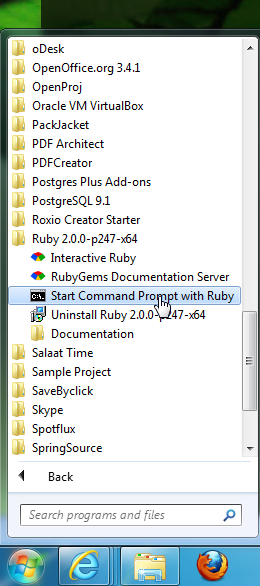
Start Command Prompt with Ruby:

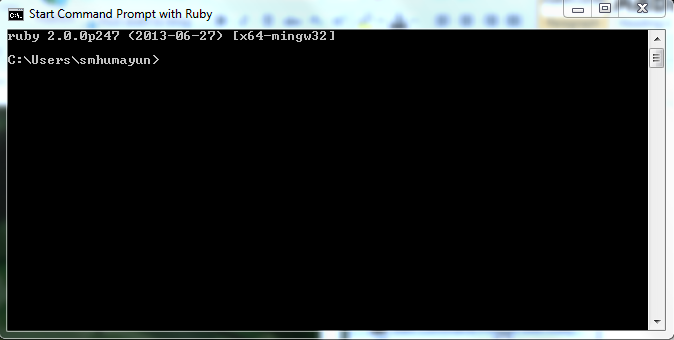
appfog - run af command line tool

appfog - af - command line utility

Run login command : ‘af login’

‘cd’ to your project directory

Run update command to synchronize your remote project with your local one.

appfog - af - update

All your local files will be packaged and uploaded to your remote cloud space.

appfog - af - update 2

Go to your AppFog’s App Page and Click on ‘View Live Site’:

appfog - app - view live site

appfog - live site

Saturday, 6 July 2013

Paypal Button and Instant Payment Notification (IPN) Integration with Java

Integration with Payment Gateways is one of the most common integration in business applications. In this post, I will demonstrate how you can integrate your Java (Servlet/JSP/Struts/Spring/etc.) applications with Paypal using Paypal Button and Instant Payment Notification (IPN).

For those who hate to read long documentation, I’ve tried to capture “minimum” reading material here from Paypal website that is required to understand Paypal IPN Protocal and Architecture; and which is a pre-requisite for our example below.

Besides that, you should also setup following (if not done already):

  1. Create Paypal Account
  2. Activate Paypal Developer Account by signing in with your Paypal Account credentials
  3. Create Paypal Payment Button

    create paypal payment button

‘IpnHandler.java’

As for ‘IpnConfig.java’:

  1. ‘ipnUrl’ should be:
    1. For Production/Live - https://www.paypal.com/cgi-bin/webscr
    2. For Sandbox/Testing - https://www.sandbox.paypal.com/cgi-bin/webscr
  2. ‘receiverEmail’ should be the Paypal Account Email
  3. ‘paymentAmount’ should be the ‘Price’ you setup while defining Paypal Button above.
  4. ‘paymentCurrency’ should be the ‘Currency’ you mention while defining the Paypal Button above.

Now,

COMPLETE SOURCE CODE IS AVAILABLE HERE TO DOWNLOAD

Paypal Button and Instant Payment Notification (IPN) – Overview, Protocol and Architecture

This post is intended for those who hate to read long documentation. I’ve tried to capture “minimum” reading material from Paypal website, that is required to understand Paypal IPN Protocal and Architecture and which is a pre-requisite for our example of integration of Paypal Button and Instant Payment Notification (IPN) with Java. If you want to learn more, you should definitely read more details from Paypal website.

Instant Payment Notification (IPN) is PayPal's message service that sends a notification when a transaction is affected. Once IPN is integrated, sellers can automate their back office so they don’t have to wait for payments to come in to trigger order fulfillment. [Source: Paypal]

For Paypal Button and IPN integration, you have to create an “IPN Listener” that should be exposed publicly on internet so that Paypal server(s) can send notifications to your IPN listener and from there you can start your own business flow to process those notifications.

Technically in Java, an “IPN Listener” can be exposed on some URL that could be mapped to a Java Servlet, a JSP Page, a Struts Controller and Action, a Spring Controller, etc.

The following diagram shows how events can occur and how PayPal responds with IPN messages that it sends to your listener:

IPNOverview_thumb2 

The diagram shows requests and responses, which are the result of processing paypal button clicks. PayPal sends an IPN message when it sends a response to a request. The IPN message is not actually part of the response sent to your website. Rather, the IPN message is sent to the your listener, which allows you to take actions that are not directly tied to the operation of your website.

Note: The diagram does not show the IPN authentication protocol messages that validate the IPN message.

IPN is an asynchronous message service, meaning that messages are not synchronized with actions on your website. Thus, listening for an IPN message does not increase the time it takes to complete a transaction on your website.

The IPN message service does not assume that all messages will be received by your listener in a timely manner. Because the internet is not 100% reliable, messages can become lost or delayed. To handle the possibility of transmission and receipt delays or failures, the IPN message service implements a retry mechanism that resends messages at various intervals until you acknowledge that the message has successfully been received. Messages may be resent for up to four days after the original message.

Note: Unless you are certain that a failure occurred on the the Internet, the most likely cause of lost, delayed, or duplicate IPN messages is faulty logic in the listener itself.

Because messages can be delivered at any time, your listener must always be available to receive and process messages; however, the retry mechanism also handles the possibility that your listener could become swamped or stop responding.

The IPN message service should not be considered a real-time service. Your checkout flow should not wait on an IPN message before it is allowed to complete. If your website waits for an IPN message, checkout processing may be delayed due to system load and become more complicated because of the possibility of retries.


IPN Protocol and Architecture

The IPN protocol consists of three steps:

  1. PayPal sends your IPN listener a message that notifies you of the event
  2. Your listener sends the complete unaltered message back to PayPal; the message must contain the same fields in the same order and be encoded in the same way as the original message
  3. PayPal sends a single word back, which is either VERIFIED if the message originated with PayPal or INVALID if there is any discrepancy with what was originally sent

Your listener must respond to each message, whether or not you intend to do anything with it. If you do not respond, PayPal assumes that the message was not received and resends the message. PayPal continues to resend the message periodically until your listener sends the correct message back, although the interval between resent messages increases each time. The message can be resent for up to four days.

This resend algorithm can lead to situations in which PayPal resends the IPN message while you are sending back the original message. In this case, you should send your response again, to cover the possibility that PayPal did not actually receive your response the first time. You should also ensure that you do not process the transaction associated with the message twice.

Important: PayPal expects to receive a response to an IPN message within 30 seconds. Your listener should not perform time-consuming operations, such as creating a process, before responding to the IPN message.

After PayPal verifies the message, there are additional checks that your listener or back-end or administrative software must take:

  • Verify that you are the intended recipient of the IPN message by checking the email address in the message; this handles a situation where another merchant could accidentally or intentionally attempt to use your listener.
  • Avoid duplicate IPN messages. Check that you have not already processed the transaction identified by the transaction ID returned in the IPN message. You may need to store transaction IDs and the last payment status returned by IPN messages in a file or database so that you can check for duplicates. If the transaction ID sent by PayPal is a duplicate, you should not process it again.

    Note: You must track the last payment status returned by IPN messages because PayPal could send an IPN for a pending payment and a second one for the completed payment, both of which would have the same transaction ID. Relying on just the transaction ID could lead to the completed payment being treated as a duplicate.

  • Because IPN messages can be sent at various stages in a transaction's progress, make sure that the transaction's payment status is "completed" before enabling shipment of merchandise or allowing the download of digital media.
  • Verify that the payment amount actually matches what you intend to charge. Although not technically an IPN issue, if you do not encrypt buttons, it is possible for someone to capture the original transmission and change the price. Without this check, you could accept a lesser payment than what you expected.

[Source: Paypal]